Thinking Like a Coder
Coders solve big problems by breaking them into small, clear steps. Learn step-wise thinking, algorithms and flowcharts, loops and debugging, then code with blocks in Blockly and Scratch — and command the LOGO turtle in a live lab!
1Step-wise thinking
Every task you do — brushing your teeth, making a paper rabbit, solving a sum — has a sequence of steps. Doing them in the right order makes even hard tasks easy.
- Reasoning
- Thinking logically to solve problems, produce creative ideas and set goals.
- Problem solving
- Converting a complex (big, difficult) task into simple steps to reach the goal.
- Step-wise thinking
- Planning and doing a task one step at a time, in the correct order.
- Make a list of guests and send them invitations.
- Arrange seating and food for them.
- Welcome the guests and enjoy the party.
If you skip step 1, you won't know how many guests are coming, so seating and food will go wrong and the party ends up in a mess!
Case studies
🚌 The school trip
Should the teacher book the bus seats first, or collect students' names first? Names first — then he knows exactly how many seats to book.
💎 The diamond chest
Three chests; all clues are true: "Not in Chest 2." "In Chest 1 or Chest 3." "Not in Chest 3." Cross out 2 and 3 → the diamond is in Chest 1.
Alice, Elsa and Dora are sisters. Alice is not the youngest. Elsa is the eldest. Dora is not the eldest.
- Elsa is the eldest (clue 2).
- So Alice is either middle or youngest — but she is not the youngest, so Alice is the middle one.
- Only one place is left: Dora is the youngest.
Tip: start with the clue that tells you something for sure, then cross out.
Put these steps to start a car in the correct order.
P: Turn on the engine · Q: Open the car door · R: Close the car door · S: Sit on the driver's seat
2Computational thinking
Computer scientists use four "thinking tools" to solve problems. Together they are called computational thinking.
- Decomposition: a house = a square (walls) + a triangle (roof) + a door.
- Patterns: a square is "go forward, turn 90°" four times; a triangle is "go forward, turn 120°" three times.
- Abstraction: the colour of the curtains doesn't matter for the shape — leave it out.
- Algorithm: draw the square, move to the top, draw the triangle, move down, draw the door.
Tara plans her school project by splitting it into: find facts, draw pictures, write paragraphs, make the cover. Which tool is she using?
3Algorithms & flowcharts
An algorithm is a clear, step-by-step set of instructions to solve a problem or finish a task — like a recipe. A computer program is an algorithm written in a language the computer understands.
- Each step must be clear — no guessing.
- The steps must be in the correct order.
- It must finish (have an end).
- Start.
- Heat a cup of milk.
- Add 2 spoons of cocoa and 1 spoon of sugar.
- Stir well.
- Pour into a mug and serve.
- Stop.
Flowchart symbols
A flowchart is a picture of an algorithm. Each kind of step has its own shape, and arrows show the order.
A flowchart with a decision
Students mix up the shapes. A decision is always a diamond (never a rectangle), and Start/End is an oval. Input/Output (like "Input marks" or "Print result") is a parallelogram.
In a flowchart, the step "Add 5 to the number" should be drawn in which shape?
4Sequence, loops, conditions & events
Almost every program is built from four simple ideas.
| Idea | Meaning | Everyday example |
|---|---|---|
| Sequence | Steps done one after another, in order | Wear socks, then shoes |
| Loop (repeat) | Doing the same steps again and again | Skip the rope 10 times |
| Condition (if…then…else) | Choosing what to do based on a question | If it rains, take an umbrella, else wear a cap |
| Event | Something that starts an action | When the bell rings, go to class. When the green flag is clicked, start. |
repeat 3 times: [ move forward, turn right ] then move forward. How many moves forward?
- Inside the loop there is 1 move, done 3 times → 1 × 3 = 3.
- One more move after the loop → 3 + 1 = 4.
When counting, multiply only the blocks inside the loop by the number of repeats. Blocks outside (before or after) run just once.
How many times will the character jump? jump, then repeat 4 times: [ jump, jump ]
5Debugging — finding and fixing mistakes
A mistake in a program or in a list of steps is called a bug. Finding and fixing it is called debugging. Even the best coders make bugs — good coders test and fix them.
In 1947, Grace Hopper's team found a real moth stuck inside the Harvard Mark II computer. They taped it in their logbook as the "first actual case of bug being found" — which made the word bug famous!
Steps to post a letter: 1. Write the letter · 2. Drop the envelope in the post box · 3. Put the letter in the envelope · 4. Stick a stamp on the envelope.
- Read the steps one by one and "act them out" in your head.
- At step 2 the envelope is still empty and has no stamp! Step 2 is in the wrong place.
- Fixed order: 1, 3, 4, 2 — write, put in envelope, stamp, then post.
- Test your program often, not only at the end.
- Check one step at a time. (MSW LOGO's Trace button helps with this.)
- Change one thing, then test again.
6Block coding: Blockly Games & Scratch
In block coding you don't type code — you drag and drop colourful blocks that snap together like puzzle pieces.
Blockly Games
Blockly is a web-based platform with coding games. Open https://blockly.games in a browser. You will see games like Puzzle, Maze, Bird, Turtle, Movie, Music, Pond Tutor and Pond.
🧩 Puzzle
Teaches how blocks connect. Click the drop-down to choose the number of legs, drag the right trait blocks to each animal or bird, then click Check Answers.
🧭 Maze
Teaches movement and logic. Join move forward, turn left/right and repeat blocks, click Run Program, and reach the marker to see Congratulations!
🐦 Bird
Teaches angles. Use the heading block (e.g. heading 45°) to fly the bird to the worm, then to the nest.
🐢 Turtle
Draw shapes with a turtle using blocks — just like LOGO!
"Turn left" and "turn right" depend on the way the character is facing, not on your screen. A character facing down that turns left ends up facing right on the screen! Pretend you are the character.
Scratch
Scratch is a free block-coding language made by the MIT Media Lab (scratch.mit.edu). You make stories, games and animations.
- Sprite
- A character or object that follows your code — like the orange Scratch Cat.
- Stage
- The background area where sprites move and act.
- Blocks
- Grouped by colour: Motion, Looks, Sound, Events, Control, Sensing, Operators, Variables and My Blocks.
- Green flag
- The event "when green flag clicked" starts the program; the red stop sign stops it.
- Script
- A stack of blocks joined together.
In Blockly's Maze game, which button do you click to make the character follow your blocks?
7Meet MSW LOGO and the turtle
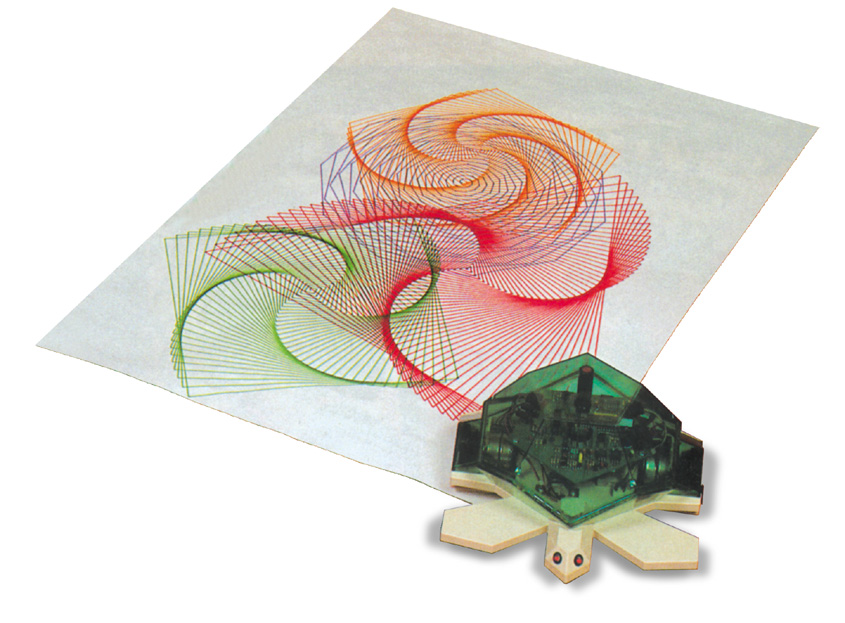
LOGO is a programming language for learning, created in 1967 by Seymour Papert and his team. Its name comes from the Greek word logos, meaning "word" or "thought". MSW LOGO is LOGO for Microsoft Windows. You give commands to a small triangle called the turtle, and it draws as it moves.
The MSW LOGO screen
| Part / button | What it does |
|---|---|
| Main screen | Where the turtle draws. The turtle starts at HOME: the centre (0, 0), pointing up. |
| Input box | Where you type commands. |
| Recall list box | Shows the commands you typed earlier. |
| Execute | Runs the command in the input box (same as pressing Enter). |
| Halt | Stops a running program. |
| Pause | Stops the program for a while (temporarily). |
| Status | Shows the current settings: turtle position, heading, pen and colours. |
| Trace | Shows each step as it runs — helps in debugging. |
| Reset | Clears the screen and sends the turtle home. |
| Edall | Opens the editor to write or change procedures. |
Save your work with File → Save (LOGO files end in .LGO). To leave, type BYE or choose File → Exit.
Primitives (basic commands)
The built-in commands of LOGO are called primitives. Always leave a space between the command and the number: FD 100, not FD100.
| Short | Full form | What it does |
|---|---|---|
FD 50 | FORWARD | Moves forward 50 steps (in the direction of the head). |
BK 30 | BACK | Moves backward 30 steps without turning. |
RT 90 | RIGHT | Turns right (clockwise) by 90°. |
LT 45 | LEFT | Turns left (anticlockwise) by 45°. |
PU | PENUP | Lifts the pen — the turtle moves without drawing. |
PD | PENDOWN | Puts the pen down — drawing starts again. |
PE | PENERASE | The pen becomes an eraser and rubs out lines it moves over. |
PPT | PENPAINT | Back to normal drawing after PE. |
HT / ST | HIDETURTLE / SHOWTURTLE | Hides / shows the turtle. |
HOME | HOME | Sends the turtle to the centre, pointing up (drawings stay). |
CS | CLEARSCREEN | Erases all drawings and sends the turtle home. |
CT | CLEARTEXT | Clears the text in the recall list box. |
SETPC 4 | SETPENCOLOR | Changes the pen colour (16 colours, numbered 0–15; 4 is red). |
SETH 90 | SETHEADING | Points the turtle in an exact direction: 0 up, 90 right, 180 down, 270 left. |
BYE | BYE | Closes MSW LOGO. |
RT 360 turns the turtle a full circle — it ends up facing the same way! RT 180 makes it face the opposite way. And if you give a very big number to FD, the turtle goes off one edge and comes back from the opposite edge (it wraps around the screen).
The turtle is at HOME, pointing up. After RT 90 FD 50, where is it and which way is it facing?
8REPEAT and regular shapes
Instead of typing FD 100 RT 90 four times, use a loop: REPEAT 4 [FD 100 RT 90]. The number says how many times; the commands to repeat go inside square brackets [ ].
The turning rule
To draw any regular shape, the turtle must turn a total of 360° to get back to where it started. So:
Turn angle = 360 ÷ number of sides · REPEAT sides [FD length RT 360÷sides]
| Shape | Sides | Turn | Command |
|---|---|---|---|
| Equilateral triangle | 3 | 120° | REPEAT 3 [FD 100 RT 120] |
| Square | 4 | 90° | REPEAT 4 [FD 100 RT 90] |
| Pentagon | 5 | 72° | REPEAT 5 [FD 80 RT 72] |
| Hexagon | 6 | 60° | REPEAT 6 [FD 60 RT 60] |
| Octagon | 8 | 45° | REPEAT 8 [FD 50 RT 45] |
| Circle (almost) | 360 tiny sides | 1° | REPEAT 360 [FD 1 RT 1] |
| 5-pointed star | 5 | 144° | REPEAT 5 [FD 100 RT 144] |
A triangle does not use RT 60! The inside corner of an equilateral triangle is 60°, but the turtle turns by the outside angle: 360 ÷ 3 = 120. Also, the number after REPEAT and the number of sides must match: REPEAT 4 [FD 50 RT 60] does not make a closed square.
🐢 Try it yourself — live LOGO lab
Click a preset or type your own commands and press Enter. Try changing the numbers! This lab understands FD, BK, RT, LT, PU, PD, PE, HT, ST, HOME, CS, SETPC, SETPENSIZE, REPEAT and PRINT.
Type this to draw a house: REPEAT 4 [FD 80 RT 90] FD 80 RT 30 REPEAT 3 [FD 80 RT 120] — a square for the walls, then from the top-left corner the turtle turns right 30° and draws a triangle for the roof. Can you add a door using PU and PD? The preset with a REPEAT inside a REPEAT spins a square 8 times to make a flower.
Which command draws a regular octagon (8 equal sides)?
9PRINT, maths & procedures
Printing words and sentences
| You type | LOGO shows | Rule |
|---|---|---|
PRINT "HELLO | HELLO | One word: put one quote mark before it (no closing quote). |
PRINT [HAPPY DIWALI] | HAPPY DIWALI | Two or more words: put them inside square brackets. |
PR [I LOVE LOGO] | I LOVE LOGO | PR is the short form of PRINT. |
PRINT 25 + 15 | 40 | Numbers need no brackets or quotes. |
PRINT HAPPY DIWALI, PRINT (HAPPY DIWALI) and PRINT "HAPPY DIWALI all give errors. A sentence must wear square brackets: PRINT [HAPPY DIWALI]. A quote mark works for one word only.
". Many words → a box [ ].LOGO as a calculator
| Operation | With a sign | With a word | Answer |
|---|---|---|---|
| Add | PRINT 25 + 15 | PRINT SUM 25 15 | 40 |
| Subtract | PRINT 50 - 18 | PRINT DIFFERENCE 50 18 | 32 |
| Multiply | PRINT 12 * 8 | PRINT PRODUCT 12 8 | 96 |
| Divide | PRINT 24 / 6 | PRINT QUOTIENT 24 6 | 4 |
| Remainder | — | PRINT REMAINDER 29 5 | 4 |
SUM, DIFFERENCE, PRODUCT, QUOTIENT and REMAINDER each take two inputs, written with a space and no commas. PRINT takes one input.
What does PRINT DIFFERENCE 20 PRODUCT 3 5 show?
- Work from the inside out: PRODUCT 3 5 = 15.
- Now it reads DIFFERENCE 20 15 = 20 − 15 = 5.
- LOGO prints 5.
Procedures — teaching LOGO a new word
A procedure is a set of commands saved under a name. Once you make it, you can use the name like a new command.
SQUARE draws a square every time!What will LOGO show for PRINT SUM 6 QUOTIENT 20 4?
Explore more
- 🎮Blockly Gamesblockly.games · Puzzle, Maze, Bird, Turtle
- 🎮Scratchscratch.mit.edu · make a game with sprites (with a parent)
- 🎮Code.orgcode.org · Hour of Code puzzles
- 📖AlgorithmSimple English Wikipedia · easy reading
- 📖Logo (programming language)Simple English Wikipedia · turtle history
- ▶️Unplugged: Computational ThinkingCode.org · youtube.com
10Quick recap
- Problem solving = turning a complex task into simple steps. Step-wise thinking needs the correct order.
- Computational thinking: decomposition, patterns, abstraction, algorithms.
- An algorithm is a clear, ordered, finite list of steps.
- Flowchart: oval Start/End · parallelogram Input/Output · rectangle process · diamond decision · arrows show flow.
- Programs use sequence, loops, conditions and events.
- In a loop, multiply only the blocks inside it.
- Debugging = finding and fixing mistakes (bugs).
- Blockly: drag and drop blocks; Puzzle (match traits), Maze (move & turn), Bird (heading); click Run Program.
- Scratch: sprites act on the stage; green flag starts.
- LOGO turtle starts at HOME (centre), pointing up. FD, BK, RT, LT, PU, PD, PE, HT, ST, CS, HOME.
- Turn = 360 ÷ sides: triangle 120, square 90, pentagon 72, hexagon 60, octagon 45.
PRINT "WORD·PRINT [MANY WORDS]· work nested maths inside out.- A procedure starts with TO name and ends with END.
Flip cards
PU (Pen Up)PRINT [GOOD NIGHT]